
How to deal with Meta?

I hope I'm not telling you anything you don't already know when I say that Meta is one of the most evil tech companies on Earth (although the competition for that title is getting fiercer and fiercer). I won't list all the nasty things they've done and are still doing; they're just a Google search away.
Today, I want to talk about how to use Meta apps while protecting ourselves from them, at least a little bit.
Some people will simply tell you to delete your accounts.
In theory, these people are right, but if you have friends and family who don't live in your neighborhood and/or aren't constantly online, there's a good chance you regularly communicate with them through Meta apps with no alternative. Some people even use Meta's messaging apps for work and more.
Living in Japan, if I want to know what's going on around me, with things such as cultural events, local businesses, and more, I have to use Instagram; no choice.
In many ways, Meta has made us prisoners. They have also been the poster child of "enshittification." If Cory Doctorow coined the term, Meta have certainly designed and perfected the practice.
So... What should we do?
First and foremost, delete all of their apps from your phone!
All of them. Now! No exception!
Keep in mind that one of the most insidious things Meta does is spy on you through its apps in ways you can't even imagine. I'm not just talking about spying on your activity within their apps, which all Big Tech apps do. They're spying on everything you do with your phone. Every. Single. thing.
Don't believe me? Here are a couple of articles about it:
 Jordi Pérez Colomé
On a side note, some people say they can't trust the media anymore, and then they fall into conspiracy traps. Some major media outlets are still trustworthy. Among them is El País, which has an English edition, as you can see above.
 Matilda Davies | Illustrations by Krystal Loh, Martin Barry and Julian Osbaldstone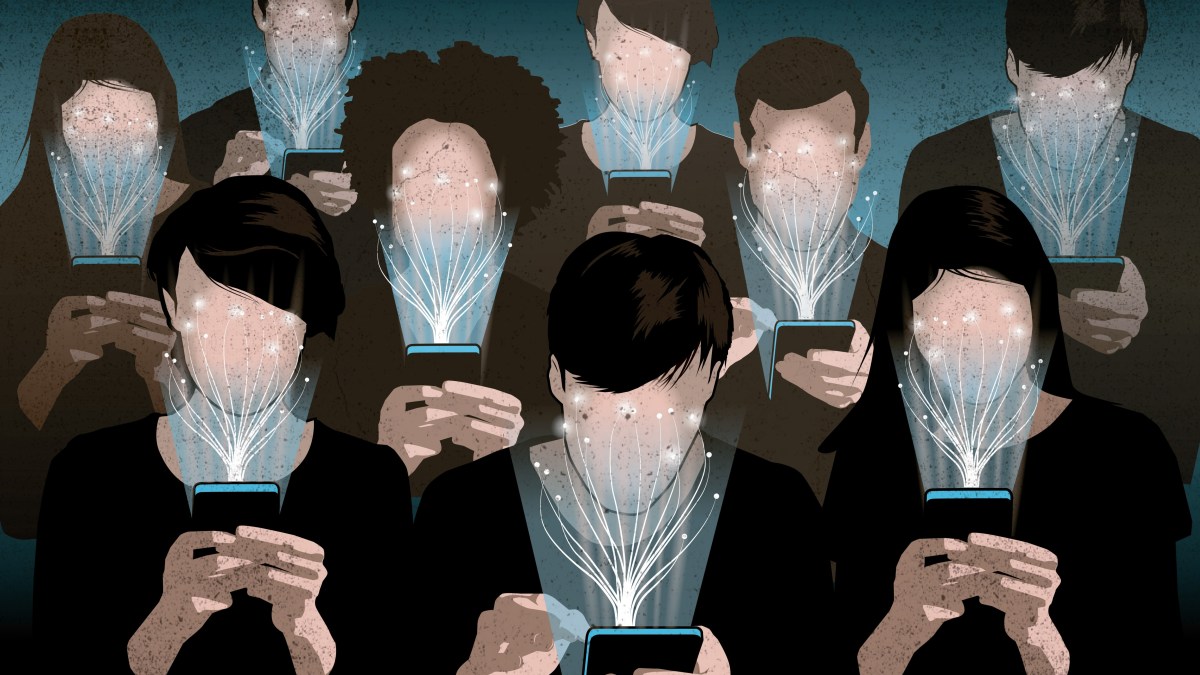
Once again, feel free to search for yourselves. I don't want to overwhelm you with links in this post.
And don't tell me you have nothing to hide. Of course you do; we all do.
And it's not just about "spying"; it's about collecting as much data as possible on you. Meta is probably the company in the world with the most comprehensive library of people's data.
Don't think you're safe just because you don't have an account with them. They still have your social graph from the information that your contacts have about you.
So, yes, the first step is to delete all Meta apps from your phone.
All of them.
"But I need some of them!!!"
I know. Sometimes, we don't have a choice but to use some of Meta's apps.
Well, here are some easy things you can do:
Use Firefox and its Facebook Container on your computer.
We'll discuss web browsers another day (quick tip: Ditch Chrome and Safari; use Firefox and Vivaldi instead), but if you want to continue using Meta apps, one of the safest ways is to use Firefox and to install their Facebook Container extension. It lets you use Facebook, Instagram, and other apps as you normally would. They'll work the way you want them to (they'll even show you ads, if that's something you're into), but they won't be able to track your activity on your computer while you're using them. They're "contained" and can't access anything else on your machine.
Is it perfect? Probably not. But it's currently the best and safest way I know to use Meta's websites.
I've been using this method with Facebook and Instagram for a little while now, and so far, so good.
Also, not having the apps on my phone and forcing myself to type in the URLs if I want to use them has helped me become less addicted to them. But, gosh, their timelines are addictive once you're on them!
You can also use Threads this way, although... How can anyone find Threads useful for anything? It's beyond me. Can you?
What about messaging apps?
Yes, what about them? Sometimes, you have no choice but to use them, whether it's to speak with your grandma, coworkers, soccer team, or friends who don't care about staying sane and safe online.
Of course, you can also use them on a computer. Can you use WhatsApp on a computer? Honestly, I don't know. I'm one of the few lucky people who has never had to use WhatsApp. Full disclosure: This isn't entirely true. I had to use it once around eight years ago. I uninstalled it as soon as I was done, never to use it again.
However, I understand that nowadays, the main way we use messaging apps is with phones. I just told you to delete them from your phone. I know most of you haven't done it because you thought.
"But I need WhatsApp/Messenger on my phone!"
Let me correct you. You need your accounts, not the apps. You don't need the apps.
If you're not familiar with the technical aspects of the internet, there's something called a web API. I won't try to explain what they are or how they work. I barely understand the technical side myself. Just know that they allow different applications to be usable elsewhere online. For example, if you see an Instagram post embedded in a webpage, it's possible thanks to these APIs.
And thanks to their APIs, you can use Messenger, WhatsApp, or even Instagram DMs in other apps.
I don't know many, but I know of one in particular that I've used for several months now.
It's called Beeper and it belongs to Automattic, the company that manages WordPress and owns WooCommerce, Gravatar, Tumblr, and more. In other words, even if you're not familiar with the company, you've probably used their products. WordPress powers more than one-third of the world's websites (including Setouchi Explorer, which you may be familiar with).
 Automattic, Inc.
What Beeper does is pretty awesome. It manages many different chat and messaging apps in one place. In other words, not only can you safely use Messenger, WhatsApp, and Instagram on your phone with Beeper, but you can also use all of them together from the same app. Not just those, but many others as well (Discord, Signal, etc.—just check the link above).
Of course, the ideal way to deal with Meta's messaging apps is to convince your loved ones to communicate with you through safer means. I convinced my 80-year-old mom to use Signal instead of Messenger, so if I could do it, you can too (although I admit she's less stubborn than some of my friends on the issue).
But, I don't want this post to become too long, so I'm keeping the topic of using safe messaging apps instead of Meta's for another day.
I hope you found these tips useful and will follow them.
Remember, even if you can't follow all of them, following some is still beneficial. Some people online preach a kind of "purity" from evil tech companies and say you shouldn't use any of them. Honestly, I don't know how they do that if they have friends, jobs, and family. I suspect some of them are a little hypocritical on the issue.
So, once again, do your best and do what you can. Even a little is better than nothing at all.
If you found this post useful, please consider doing the following:
- Share it with your friends and family.
- Let me know in the comments if you know of other ways to protect yourselves from Meta.
- Subscribe to the newsletter if you haven't yet.
As always, thanks for reading.
Best,
David


Comments ()